The App I Built Because I Couldn't Stop Checking GitHub
A desktop app that watches your CI runs and tells you when they're done. Also repeats them 20 times and tells you which test is flaky. Built with Electron, vanilla JS, and no patience for tab-switching.
A few months ago we had a black week at work. Tests that had been green for months started failing. Not all of them. Not consistently. Just enough to block the release pipeline. Other teams couldn't merge because our tests were failing on their PRs. The pressure built fast: Teams messages, escalation threads, people asking when we'd fix it. I stayed up until 2am two nights in a row, re-running workflows, staring at logs, trying to figure out which failures were real and which were ghosts.
The worst part wasn't the hours. It was the uncertainty. I'd push a fix, re-run the workflow, see it pass, merge it, and go to bed. Two days later, the same test failed again. The fix hadn't worked. I just hadn't run it enough times to know.
That week is why SubCat exists.
The first version was simpler. I was tired of switching to the browser ten times a day to check whether a CI run had finished. GitHub notifications are email-based, arrive late, and you can't control what triggers them. I wanted a single answer: is my run done? So I built an app. Paste a GitHub Actions URL, go back to work, get a native notification when it finishes. Green or red.
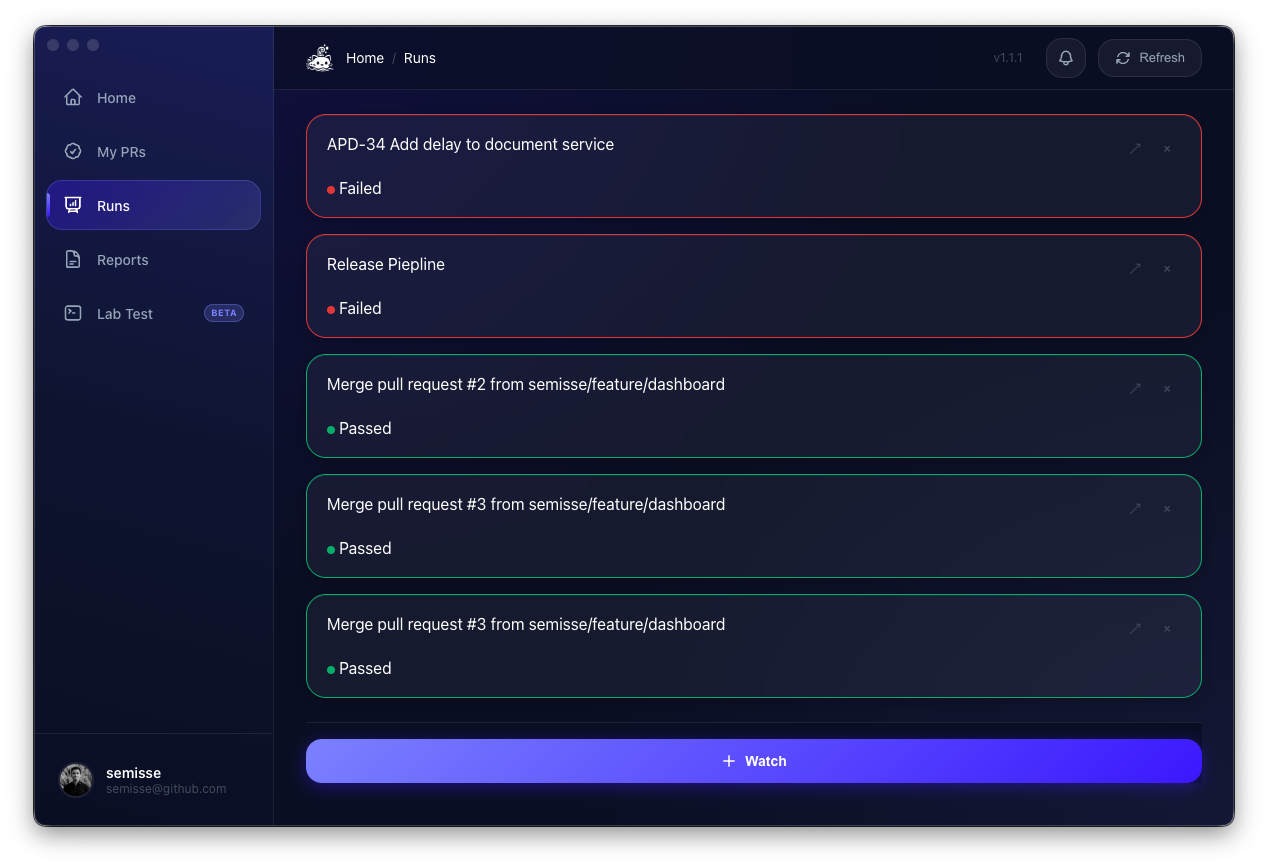
That was useful. But it wasn't the thing that needed building. The black week taught me that.
The Real Feature
The notification thing was useful but not interesting. What made SubCat worth building was the problem I ran into two weeks later.
A test failed in CI. I re-ran it. It passed. I re-ran it again. It failed. The test was flaky, but proving it to my team required re-running the workflow manually, keeping track of which runs passed and which failed, and then writing up the results in a Teams message that nobody would read carefully.
SubCat's repeat mode does this automatically. You tell it: run this workflow 20 times. It triggers each run sequentially, polls every 15 seconds, collects the results, and generates a Markdown report at the end.
The report shows pass/fail counts per test, labels each one Stable, Probably Flaky, or Flaky, and lists the specific runs where each test failed. No spreadsheets, no scripts, no "I swear it failed yesterday."
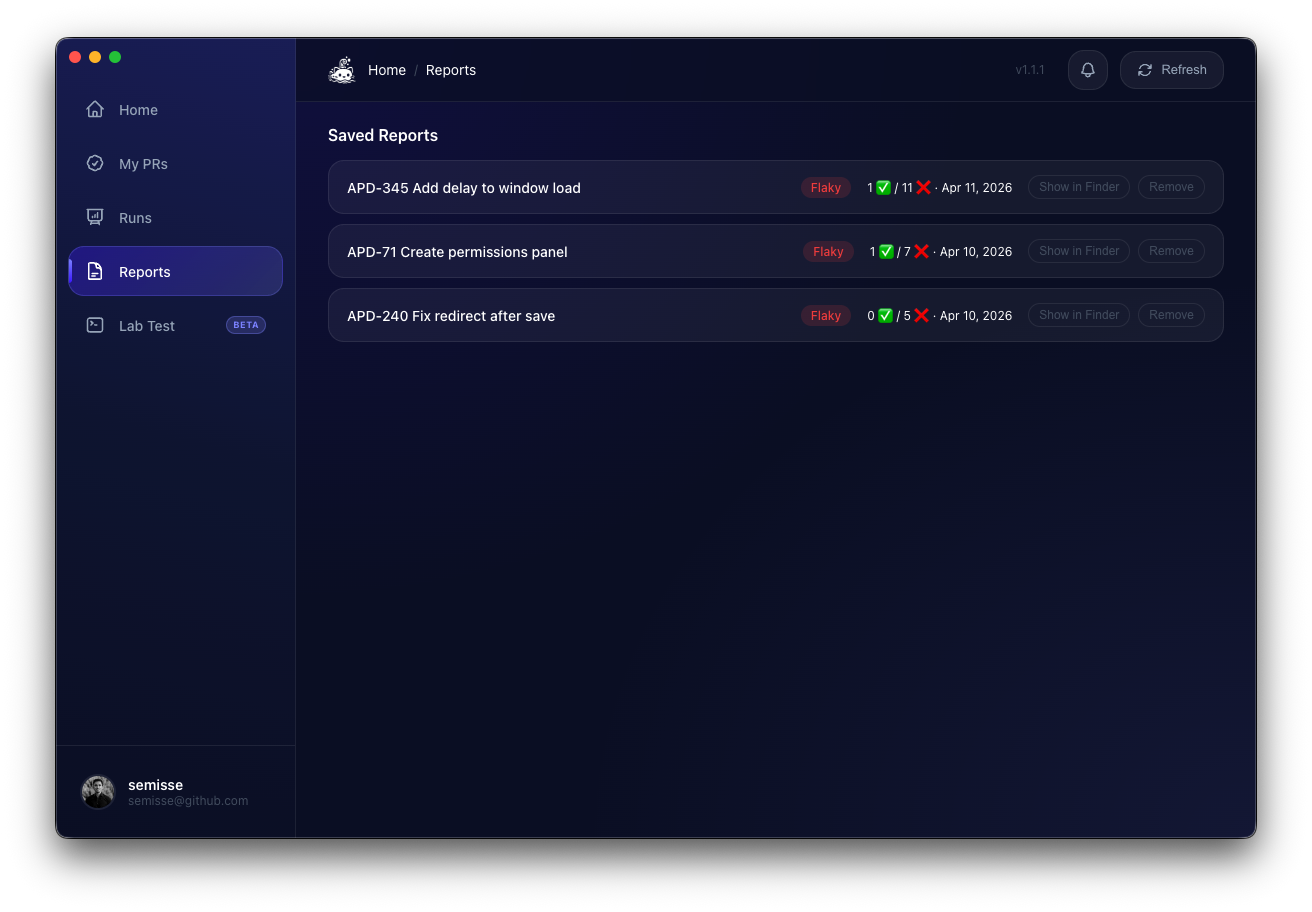
This turned out to be the actual product. The notification feature gets people in the door. Repeat mode is why they stay.
Local Stress Testing (Beta)
This is the feature I'm most excited about.
Repeat mode proves a test is flaky. But it does it by triggering real CI runs. Twenty runs of a 15-minute workflow is 5 hours of CI time. If your team has a budget, you'll feel it.
Lab Test flips the model. Instead of running in CI and watching from your laptop, you run on your laptop under CI conditions. SubCat spins up a Docker container with the same constraints as a GitHub Actions runner: 2 vCPU, 7 GB RAM. It detects your test framework (Playwright, Jest, Vitest) from package.json, mounts your repo, and runs the tests N times with live streaming output.
The interesting part is the stress factors. Sometimes flaky tests don't necessarily fail because your code is wrong. They fail because CI runners have contention your laptop doesn't: noisy neighbours on shared CPUs, slower I/O, network jitter. Lab Test simulates this. You pick a preset (Light, Medium, Heavy) or dial individual factors:
- CPU contention: background workers competing for cycles
- Network latency and packet loss: for tests that hit external services or localhost APIs
- File descriptor limits: catches tests that leak handles
- Timezone shifts: for date-sensitive logic that passes in your timezone but fails in UTC
- Seed randomisation: for test suites that depend on execution order
On Apple Silicon, you can force linux/amd64 for tests that need Google Chrome, which isn't available for ARM.
The workflow becomes: CI fails, you open Lab Test, reproduce the failure locally with matching constraints, fix the test, verify it passes 50 times under stress, push. No more "it works on my machine" followed by "it failed in CI again."
But the part I care about most is what happens after the fix. You patch a flaky test, it passes once, you merge, and you move on. Two months later, the same test fails again. The fix didn't work. You just didn't run it enough times to know. Lab Test closes that gap: after you fix, you stress-test the fix. If it survives 50 repetitions under Heavy preset, the fix is real. If it doesn't, you find out now, not in two months when nobody remembers the context.
Every run is saved with its config and output. You can browse history, re-open a run, copy the full log, or export a report. The feature is in beta, but it already changed how I debug flaky tests at work.
The Research Behind It
I didn't build SubCat on intuition alone. Before writing a line of code, I went deep into the academic literature on flaky tests. I read papers, industry reports, and post-mortems. Some of what I found shaped the product directly.
A systematic survey of 76 research papers 1 found that 59% of developers encounter flaky tests on a monthly, weekly, or daily basis. The root causes are well-documented: timing and concurrency issues, shared state, environment differences, test order dependencies. But the most useful insight came from research on the lifecycle of flaky tests 2: flakiness has stages (introduction, detection, triage, resolution), and most teams get stuck between detection and resolution because they lack tools for triage.
Google's own research on automated root cause location 3 showed that 82% of flaky test root causes can be pinpointed automatically, but only if the tooling is integrated into developer workflows rather than treated as a separate system. That insight drove SubCat's design: everything happens inside the app, not in a dashboard you visit once a month.
One paper in particular changed how I think about fixes: Lam et al. 4 found that many "fixes" for flaky tests are actually workarounds (longer timeouts, added retries) that mask the problem rather than solve it. These workarounds slow down the test suite and the flakiness comes back. That's exactly what happened during our black week. Some of the fixes our team had pushed months earlier for the same tests were timeouts and retries. They passed once. They didn't hold. Lab Test exists so I never have to guess again: run the fix under stress, not once, but 50 times. If the fix is a workaround, it will fail under pressure.
I maintain a personal knowledge base with summaries of every paper and article I've read on this topic. It runs on my local AI server: I clip an article, Gemma 4 summarises it, and the wiki grows on its own. That research feeds directly into how SubCat evolves.
Why Electron
The first question any developer asks: why not Swift?
Because SubCat runs on macOS and Linux, and Windows is next. A native Swift app would mean rewriting the entire UI for every platform. Electron gives me one codebase, native notifications, Keychain integration via safeStorage, auto-update with code signing, and an HTML/CSS renderer I already know. All without leaving JavaScript.
The argument against Electron is always the same: heavy, too much memory, enormous bundle. All true. But SubCat runs in the background and polls an API every 15 seconds. The runtime footprint isn't the bottleneck. The user's attention is.
It took me two afternoons to have the first working version. In Swift, I'd have a macOS-only app and I'd still be reading documentation about URLSession.
The Architecture
Electron apps have three layers. SubCat's look like this:
Main process runs in Node.js. Polling, database, authentication, notifications. This is the brain.
Renderer process is the browser. HTML, CSS, JavaScript. No React, no Vue, no build step. Vanilla JS all the way down. I know that sounds insane in 2026 but I don't want to fight a bundler when I'm debugging IPC at midnight. The renderer started as one 2,200-line file. It's now split into 11 focused modules. Still no build step: just multiple script tags with shared globals.
Preload script is the bridge. It defines exactly which functions the renderer can call in the main process, without exposing Node.js to the browser.
The most interesting decision was extracting polling into its own module:
class PollManager extends EventEmitter {
    start({ runId, owner, repo, repeatTotal }, getToken) { ... }
    stop(runId) { ... }
    deactivate(runId) { ... }
}
PollManager is a plain EventEmitter with zero Electron dependencies. It emits events: run:update, run:repeat-done, run:all-done, run:error. The main process listens and decides what to do with them: show a notification, update the database, send data to the renderer.
This separation only matters when you write tests. The PollManager is fully testable without spinning up an Electron window. 351 unit tests and 44 end-to-end specs run without touching Electron internals.
Authentication
I didn't want to ask users for a Personal Access Token. It's bad UX and bad security: people copy tokens between machines without understanding the scopes they carry.
SubCat uses OAuth Device Flow, the same mechanism as the GitHub CLI. The app shows an 8-character code. You go to github.com/login/device, enter the code, and the app receives the token automatically. No redirect URIs, no intermediary server, no config.
The token is encrypted with Electron's safeStorage, which on macOS means the Keychain. It never touches disk in plain text.
Persistence
The first version had no database. Restart the app, lose everything you were watching.
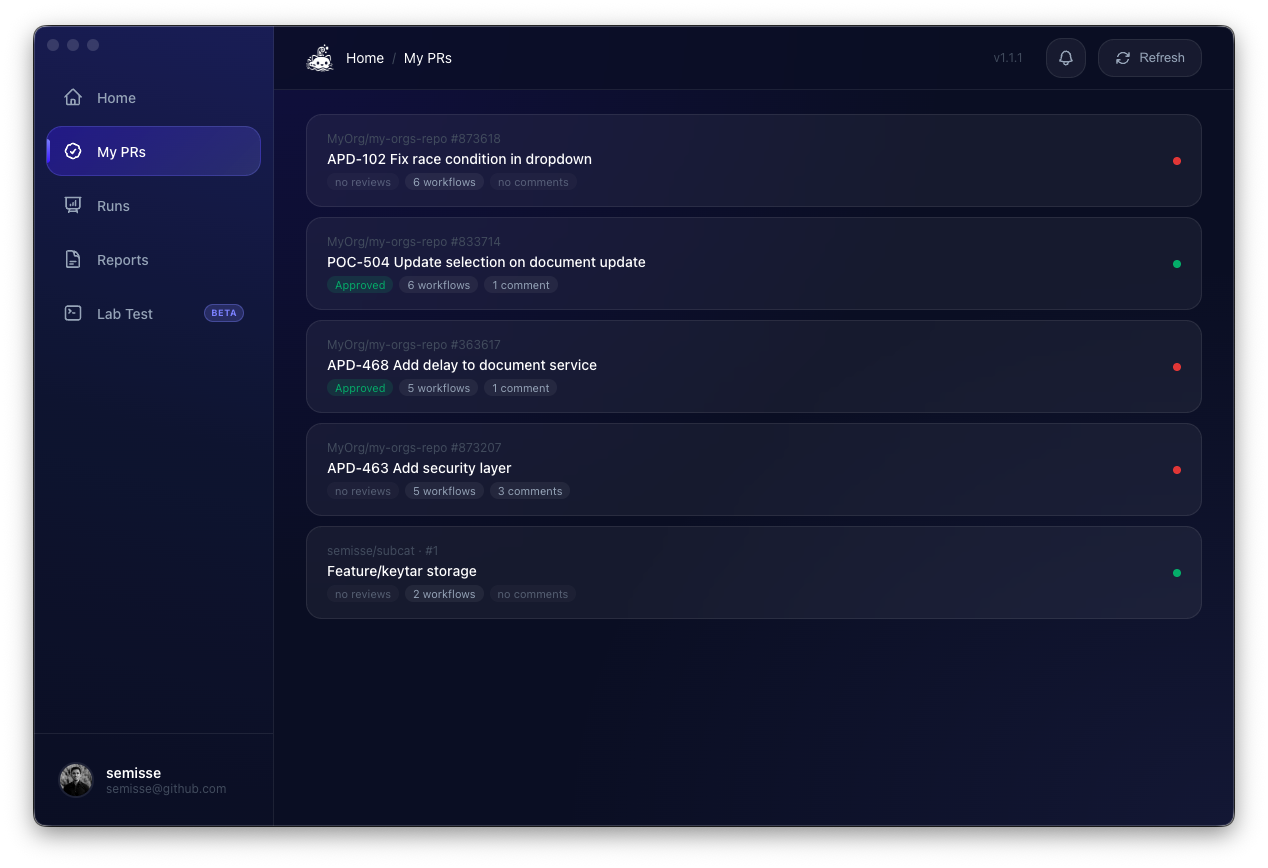
I added SQLite with better-sqlite3. Two tables: runs and run_results. When the app starts, it resumes the runs that were active. Polling picks up where it left off.
The interesting problem: better-sqlite3 is a native module that compiles against the Node version bundled with Electron. In CI, tests run with the runner's Node (version 22), not Electron's Node. Different versions, guaranteed conflict.
The solution was a mock that uses node:sqlite, Node 22's built-in SQLite module, exclusively for tests. The app uses better-sqlite3. The tests use node:sqlite. Neither knows the other exists.
What I Didn't Build
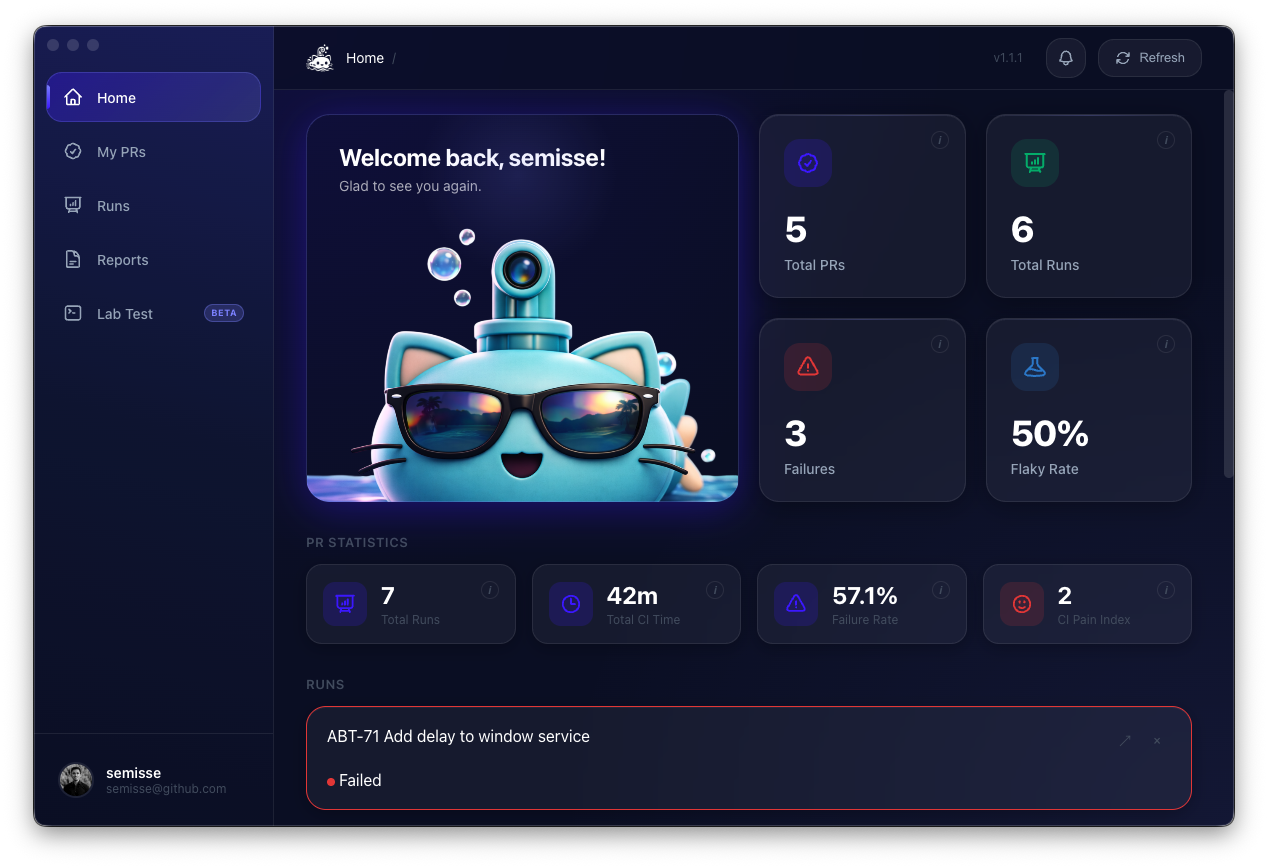
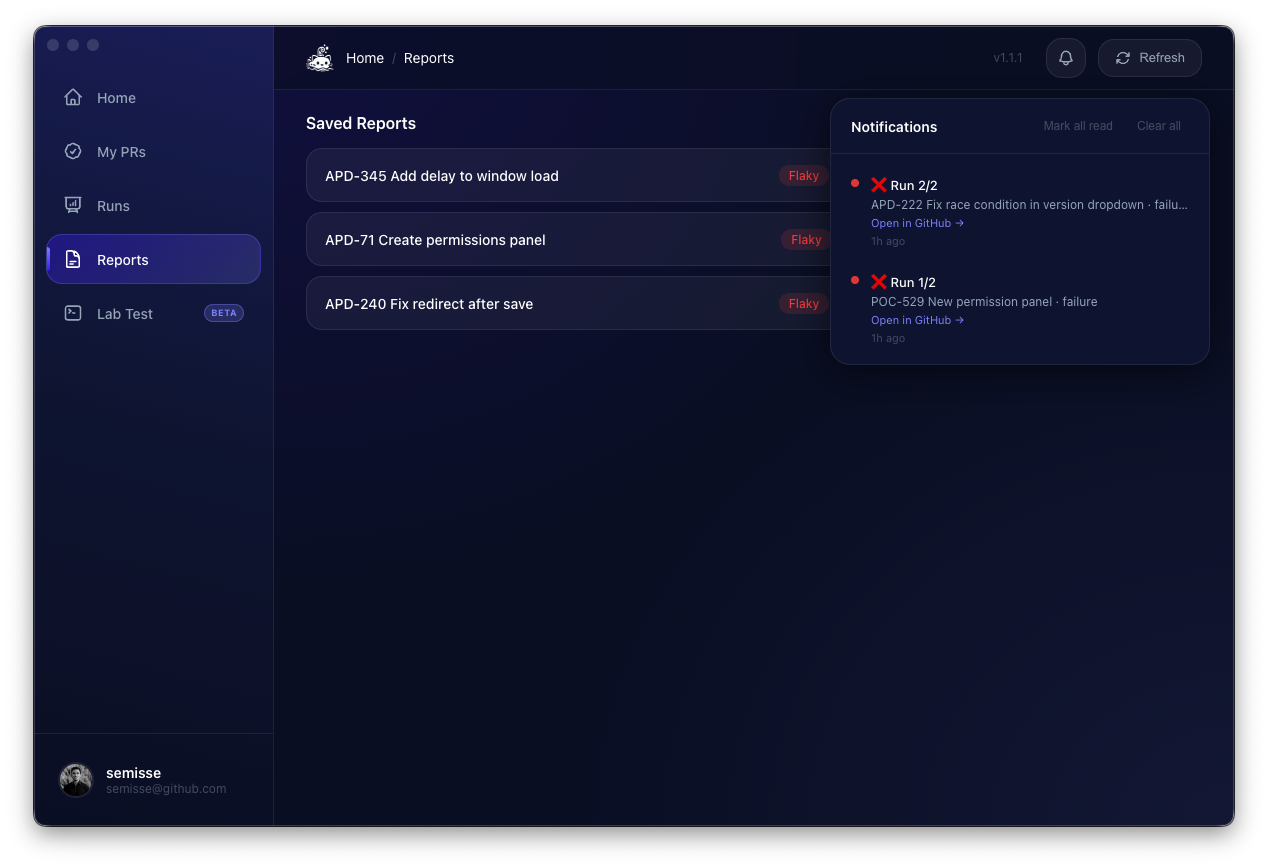
SubCat has grown. Version 1.2 ships with a notification center, PR drill-downs, pinned workflows, local stress testing, and a profile page. It started as a single input field and a notification. It's a real app now.
But there's a list of features I've deliberately left out. Automatic flaky test detection across all your repos. Workflow analytics with failure rate trends. Team dashboards with aggregated CI health. Slack integrations.
All of those would make SubCat look more impressive in a screenshot. None of them solve the problem I actually have, which is: this test just failed, was it real, and can I prove it?
Every feature that made it in serves the same loop: watch, detect, investigate, prove. Everything else is noise.
The Core Loop
SubCat is open source, free forever. Website. GitHub. macOS and Linux, code-signed and notarized.
The whole thing started because I couldn't stop switching tabs. Now I don't switch tabs. I get a notification, I click it, and I'm exactly where I need to be. The 20 minutes a day I was losing to CI babysitting went back to actual work.
Small tools that solve small problems. That's the pattern.