I Frankensteined a Hand-Me-Down PC Into a 24/7 AI Server
A hand-me-down PC, a new GPU, a replaced PSU, and a USB-C ethernet dongle holding it all together. How I built Titan: a local AI server that processes knowledge bases while I sleep.
My RTX 3090 hasn't rendered a frame of a game in months. It spends its days running four language models inside a tower sitting under my desk, connected to my home network through a €12 USB-C ethernet dongle because the onboard network card refuses to be detected by Linux.
This is Titan. My local AI server.
The Frankenstein
Titan started as someone else's computer. A family member upgraded to a new machine and gave me the old one: an ASUS Prime X570-PRO with a Ryzen 7 3700X and 32 GB of RAM. A solid base, but not enough for what I had in mind.
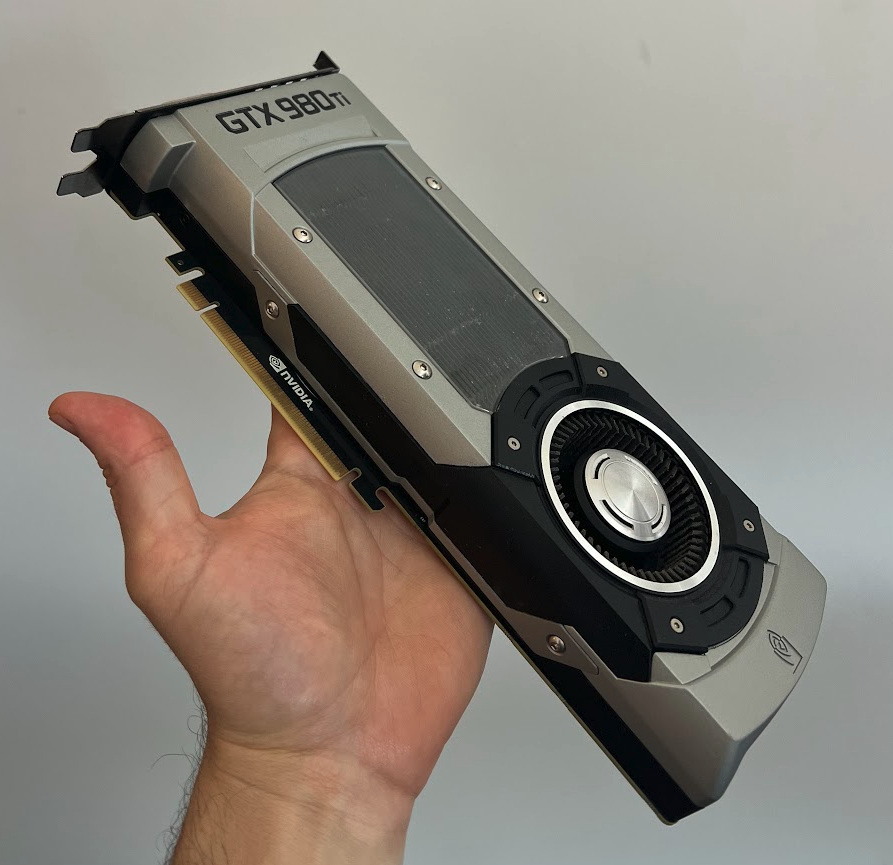
So I started swapping parts. The GPU was a GTX 980 Ti. A beast in 2015, but 6 GB of VRAM doesn't get you far when you need to load a 26-billion-parameter model. To make things worse, the PCIe slot it was sitting in turned out to be dead. I moved the card to the second slot to confirm it wasn't the GPU itself, then replaced it with a refurbished INNO3D RTX 3090 X3 I found on pcdiga.com for €569. 24 GB of GDDR6X, three-year warranty, for the price of a few months of cloud API calls.
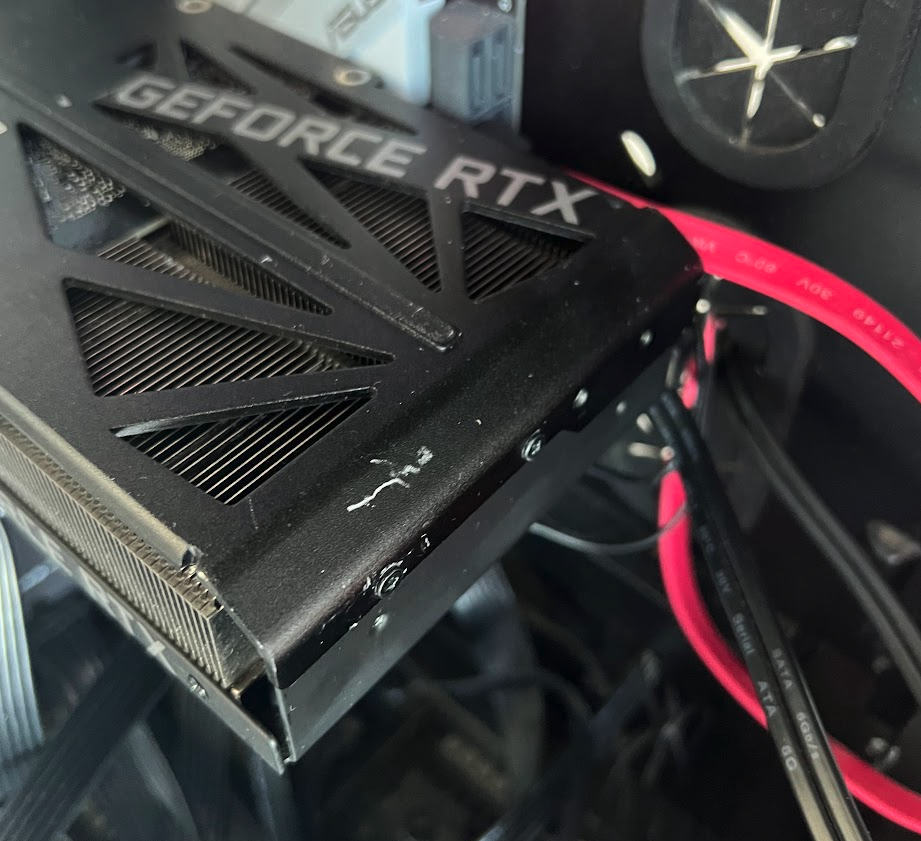 The original power supply couldn't handle it, so I picked up an ASUS Prime 850W Gold from pcdiga.com for €119. Full modular, white cables that look slightly absurd inside a case with rust on the front. The onboard network card doesn't work under Linux (more on that below), so I still need to buy a PCIe network card. For now, a €12 USB-C ethernet dongle is doing the job.
By the time I was done, the only original parts left were the motherboard, the CPU, the RAM, and a case with rust on the front panel.
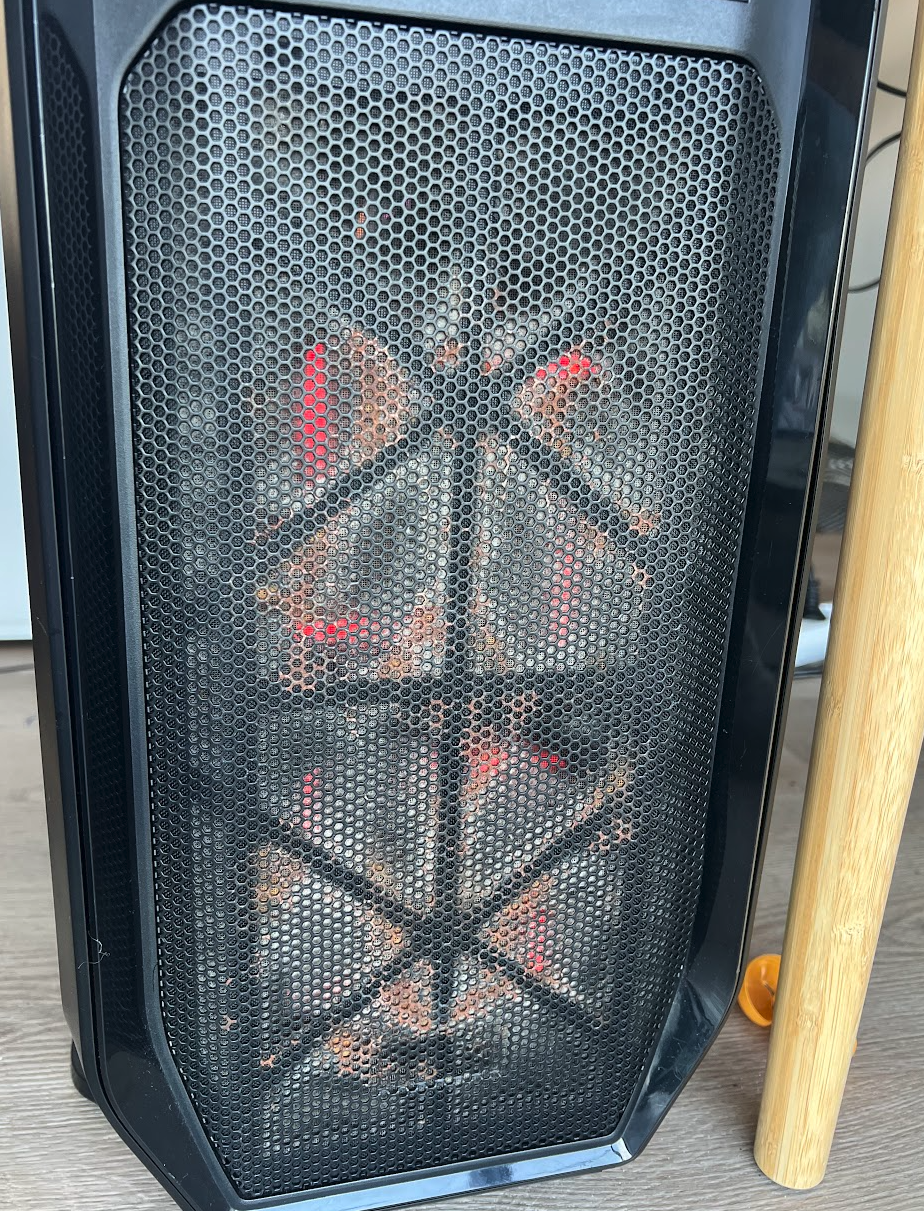
Ship of Theseus, but with GDDR6X.
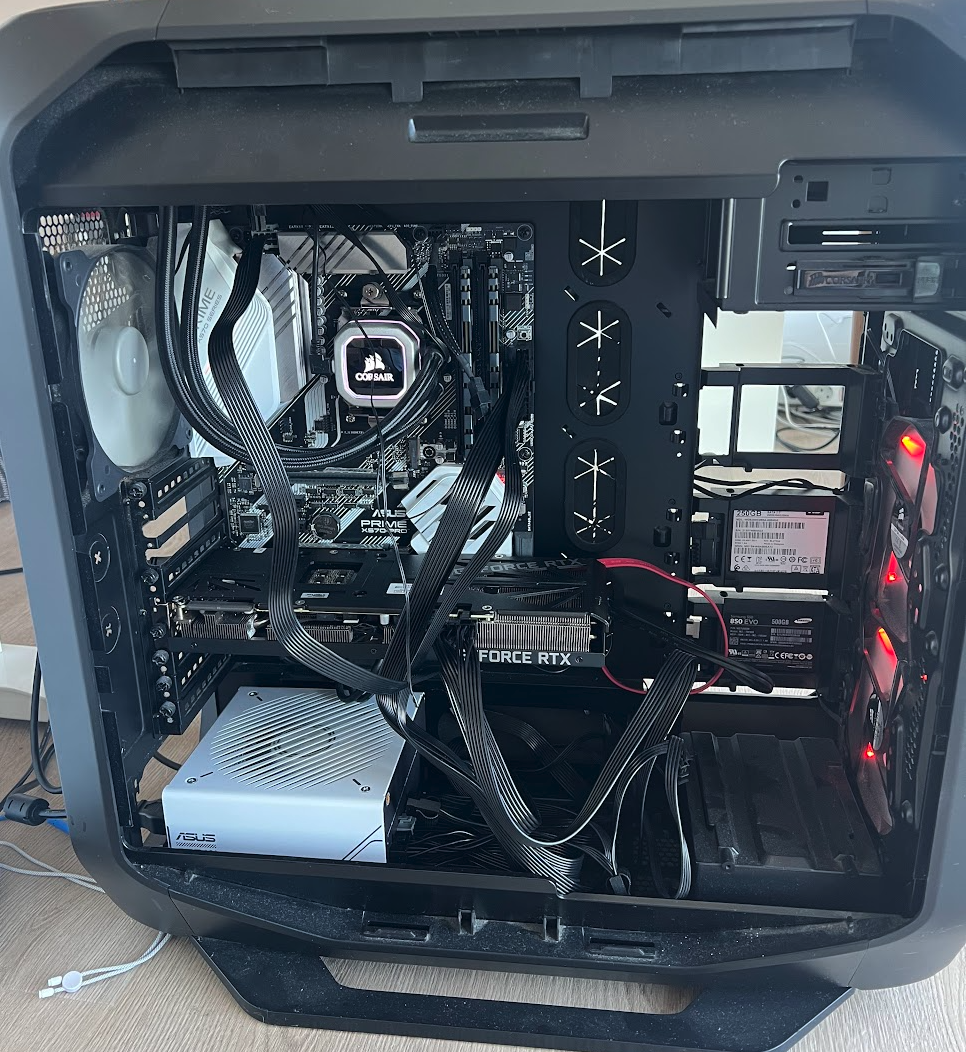
The specs as they stand:
- CPU: AMD Ryzen 7 3700X (original)
- RAM: 32 GB DDR4-3200 (original)
- GPU: RTX 3090, 24 GB GDDR6X (replaced)
- PSU: ASUS Prime 850W Gold (replaced)
- Storage: WD 250 GB SSD (Ubuntu 24.04) + a Samsung 850 EVO still holding a Windows install I haven't booted in weeks
- Motherboard: ASUS Prime X570-PRO (original)
There's also a WD Black SN770 1TB NVMe sitting on my desk, waiting to be installed for model storage. I keep telling myself I'll do it this weekend.
The machine dual-boots Ubuntu 24.04 and Windows, but Ubuntu is the only OS that matters now. NVIDIA driver 580, CUDA working, Ollama installed.
The Model Lineup
The 3090's 24 GB of VRAM is the constraint that shapes everything. Here's what's currently downloaded and available:
| Model | Size | Role |
|---|---|---|
| Qwen 2.5 72B | 47 GB | General reasoning. Too large for VRAM, runs with CPU offloading |
| Qwen 2.5 Coder 32B | 19 GB | Code generation and editing. Fits in VRAM, trained specifically for code |
| Gemma 4 26B | 17 GB | Knowledge base ingestion: the workhorse for wiki summaries |
| nomic-embed-text | 274 MB | Embeddings for semantic search |
Each model serves a different job. Gemma handles the wiki pipeline. Qwen Coder is staged for code ticket execution. The 72B Qwen is the heavy generalist. It's slower because it spills to system RAM, but useful when I need stronger reasoning without paying for an API call. And nomic-embed-text is the quiet one: it turns text into vectors for semantic search across my knowledge bases.
Only one large model fits in VRAM at a time. Ollama handles the swapping: load Gemma for ingestion, unload it, load Qwen Coder for a code task. Takes a few seconds, but for background work it doesn't matter.
Hermes: The Control Layer
Hermes Agent sits on top of Ollama and gives the whole thing a brain. It's an orchestration framework by Nous Research that adds skills, memory, scheduling, and multi-platform integration (Telegram, Slack, web) to local models.
I'm running it with its web UI, which means I can open a browser, point it at Titan, and interact with any of the loaded models through a chat interface. Ask Gemma to summarize something, tell Qwen Coder to write a function, kick off a multi-step task. The difference between models I can call via curl and models I can actually talk to.
Hermes also handles the orchestration I'd otherwise have to build myself: chaining prompts, maintaining context between steps, retrying on failure. For the wiki pipeline I didn't need it. Bash scripts and systemd were enough. For code ticket execution, where a single task might involve 10–30 model calls with state between them, Hermes is what makes it feasible without writing a framework from scratch.
The Network Hack
The ASUS X570-PRO has a perfectly good Intel I211-AT ethernet port. Ubuntu doesn't see it. I spent an evening trying kernel modules, firmware updates, and BIOS settings. Nothing.
So I plugged in a USB-C ethernet adapter, assigned it a fixed IP via DHCP reservation on my UniFi Dream Machine, and moved on. The reservation is tied to the dongle's MAC address (3c:52:a1:a2:ac:65), which means if I unplug it or swap it for a different adapter, the IP disappears.
Titan's address is 192.168.0.85. It works. I try not to touch the dongle.
What It Actually Does
Right now, Titan runs one pipeline: knowledge base ingestion. It reads articles I clip from the web, summarizes them through Gemma 4, and writes structured wiki entries into my Obsidian vault. All of this happens automatically, 24/7, without me touching anything.
The pattern is stolen directly from a gist by Andrej Karpathy: keep raw sources in raw/, AI-maintained summaries in wiki/, and a SCHEMA.md that defines the rules for how summaries should look. The AI reads the schema, reads the raw article, and writes or updates the wiki entry.
How the Pipeline Works
The scripts live in ~/dev/titan-agents/ on the server, outside the Obsidian vault because .sh files don't sync well.
ingest.shtakes a file, reads the schema and index, calls Ollama, writes a wiki entry, and updates the index. It handles both Markdown and PDF (viapdftotext). A hash-based state file makes it idempotent: drop the same article twice, nothing happens.watch.shruns on boot, does a backfill of anything missed, then watches allraw/directories withinotifywait. New file lands → ingestion triggers automatically.lint.shruns weekly (Sunday at 4am via systemd timer) and produces a report: contradictions between wiki entries, orphaned references, topics that should exist but don't.
The whole thing is managed by systemd. titan-kb-watch.service depends on ollama.service and network-online.target, restarts on failure, and starts on boot. I don't think about it.
Latency: 30–50 seconds per article with a warm model. For a background process that runs while I sleep, that's plenty.
The first knowledge base plugged in is my flaky tests research: articles about test stability, CI optimization, retry strategies. I clip an article with Obsidian Web Clipper, it lands in raw/, and by the time I check my vault the wiki entry is already there.
Adding a new knowledge base is four steps: create SCHEMA.md, raw/, and wiki/ in any path, add one line to kbs.conf, restart the service.
Why Local
The total hardware investment was €688: €569 for the GPU, €119 for the PSU, and everything else was free. That's roughly what three months of heavy cloud API usage costs me. After that, every inference is electricity only.
I use Claude (Opus and Sonnet) for everything that requires judgment: planning, architecture, code review. That costs money, and it's worth it. But not every task needs a frontier model.
Wiki ingestion is a one-shot task: read an article, produce a structured summary, move on. There's no multi-step reasoning, no tool use, no decision chains. Gemma 4 at 26B handles it well. The quality is good enough, the cost is zero (minus electricity), and the latency doesn't matter because nobody's waiting.
The math changes completely for agentic work. If a task involves 20 sequential decisions and your model is 90% accurate per step, your end-to-end success rate is 0.9^20 ≈ 12%. That's not a rounding error. That's a pipeline that fails 7 out of 8 times. Frontier models push per-step accuracy close to 99%, which makes the difference between a useful agent and an expensive random walk.
This is the line I draw: local for mechanical tasks, cloud for thinking tasks. Titan handles ingestion. Claude handles planning. They don't compete. They cover different parts of the cost curve.
What's Next: Opus Plans, Titan Executes
The second pipeline isn't built yet, but the pieces are in place. The idea is simple: Claude Opus decomposes a code ticket into steps with exact file paths, function signatures, and testable acceptance criteria. Qwen 2.5 Coder 32B on Titan executes each step mechanically. A verification loop runs the tests Opus defined. If they fail, the step kicks back for re-planning.
Opus only gets called for planning and review. A handful of API calls per ticket. The grinding happens locally, on Qwen Coder. Free.
The orchestration question that was open a week ago is now answered: Hermes. It already handles model routing, context persistence between steps, and retry logic. The remaining unknowns are about quality. Whether Qwen Coder's tool use is reliable enough for multi-file edits. Where the boundary sits between tasks I can trust locally and tasks that need to go to the cloud. I'll write about it when I have real data instead of theories.
The Uncomfortable Part
Titan is held together with duct tape. A USB dongle for networking. A DHCP reservation that breaks if I unplug the wrong cable. Four models totalling 83 GB on a 250 GB system drive that's already begging for the NVMe I haven't installed yet. A Windows partition taking up a perfectly good SSD for no reason.
None of this matters. It processes articles while I sleep, it costs nothing to run, and it freed me from manually summarizing every resource I clip. The wiki is growing on its own. That was the goal.
Perfect infrastructure is a trap. Shipping infrastructure is a Tuesday afternoon with a USB dongle and a systemd unit file.